📱 New Version Now Available

Download the cd88 App – The Best Gaming Experience in Your Hands

Enjoy the full cd88 platform anytime, anywhere. Works seamlessly on both Android and iOS devices.

5M+
Download
4.8★
Rating
35MB
File Size
cd88

Cd88 App – The Best Gaming on Your Smartphone

Why do millions of gamers in Bangladesh choose the cd88 app?

Mobile internet usage in Bangladesh keeps growing. Most people now handle everything on their smartphones — from shopping to entertainment — rather than laptops or desktops. cd88 built its mobile app with exactly this in mind. Rather than simply squeezing a website onto a smaller screen, the entire experience has been redesigned from the ground up for mobile.

The cd88 app offers a noticeably different experience from the website. It loads faster, has a cleaner interface, and push notifications mean you'll never miss an offer or bonus. Once logged in, you won't need to enter your password again — you can sign in with fingerprint or face unlock.

For anyone who games every day, the cd88 app is an essential companion. Fish Game, Sports Betting, slots — everything in one place, one app. From deposit to withdrawal, it all takes just a few taps.

cd88 App Features

The cd88 app works seamlessly on both iOS and Android. At just 35MB, it installs easily even on phones with limited storage. Regular updates keep bringing new features.


cd88

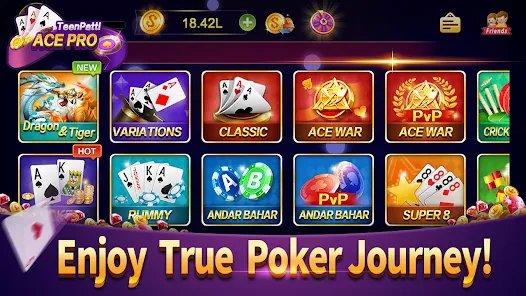
Cd88 App Home Screen & Game Lobby

Cd88 App's Key Features

What sets the cd88 app apart from every other gaming app

Fast Loading

The cd88 app loads fully in under 2 seconds. Games don't lag or freeze even on a slow connection.

Enhanced Security

Cd88 keeps your account fully secure with SSL encryption and two-factor authentication.

Push Notifications

Get instant notifications for new bonuses, tournament launches, or confirmed withdrawals.

Biometric Login

Log in quickly using your fingerprint or face recognition — no need to remember your password.

Dark Mode

The cd88 app has a built-in dark mode. No more eye strain during late-night sessions.

Instant Payment

Deposit and withdraw directly from the app via bKash, Nagad, and Rocket.

All Games in One Place

Fish Game, slots, Sports Betting, Live Casino — all in one place on the cd88 app.

In-App Support

Chat with our support team in the live chat directly from within the app.

Low-Data Mode

Running the cd88 app in data-saving mode lets you enjoy the same quality gaming while using less internet data.

Cd88 App How to Download

Install the cd88 app in just a few simple steps

For Android

1
Open Settings

Go to your phone's Settings > Security and enable "Unknown Sources" or "Install Unknown Apps".

2
APK Download

Log in to the official cd88 site and download the Android APK file from the app page.

3
Install

Tap the downloaded APK file and press the Install button. Installation completes in 30 seconds.

4
Log In

Open the app, log in to your cd88 account, and start playing.

For iOS

1
Open Safari

Open Safari on your iPhone or iPad and go to the cd88 website.

2
Share Icon

Tap the Share icon in the bottom toolbar, then select "Add to Home Screen".

3
Give it a name

Type "cd88" and tap "Add". The app icon will be added to your home screen.

4
Enjoy

Tap the cd88 icon on your home screen for a direct, app-like experience.

cd88

Cd88 App Installation Process

Important Note

You need to enable Unknown Sources on Android because the cd88 APK is distributed directly from the official site, not the Google Play Store. This is completely safe — the app is free of viruses and malware.

System Requirements

Device Requirements to Run the cd88 App

Android Requirements
  • OS Version Android 6.0 or above
  • RAM Minimum 2 GB (3 GB recommended)
  • Storage Minimum 35 MB free storage
  • Processor Quad-core 1.5GHz or higher
  • Internet Minimum 3G (4G recommended)
  • Screen 4.5 inches or larger
iOS Requirements
  • OS Version iOS 12.0 or above
  • Device iPhone 7 or later
  • Storage Minimum 35 MB free storage
  • Browser Safari (for PWA installation)
  • Internet Minimum 3G (4G recommended)
  • iPad iPadOS 13 or above

App vs. Website

Cd88 App vs. Mobile Browser: A Quick Comparison

Features Cd88 App Mobile Browser
Loading Speed ⚡ Very Fast Standard
Push Notifications Available None
Biometric Login Available None
Auto Login Available Limited
Data Saving Low-Data Mode None
Game Quality HD Graphics Standard
In-App Support Live Chat Limited
Offline Features Partial None
cd88

Gaming Experience on the cd88 App

Users Reviews

What Gamers in Bangladesh Are Saying About the cd88 App

★★★★★

"Ever since I downloaded the cd88 app, I haven't touched the browser. It runs completely smooth with zero lag. Payments through bKash have become so much easier too."

Rafi Ahmed
Dhaka
★★★★★

"I fell in love with the cd88 app playing Fish Games. The graphics are so stunning it feels like you're actually underwater. And the fingerprint login is just the best."

Tanzim Hossain
Chattogram
★★★★☆

"cd88 runs well even on a slow connection. With Low-Data Mode on, it uses surprisingly little data. Withdrawals are fast too."

Sanjida Akter
Sylhet
★★★★★

"With the cd88 app, you can follow Sports Betting and live scores at the same time. Push notifications during matches let me place bets right away."

Imran Khan
Rajshahi
★★★★★

"cd88's support team helps you right from within the app. I ran into an issue once and had it sorted within 5 minutes."

Mahmudул Haq
Khulna
★★★★☆

"A friend told me about the cd88 app. The download took just 2 minutes. The installation guide makes it easy for anyone to get started."

Nusrat Jahan
Barisal
General FAQ

Frequently Asked Questions About the cd88 App

Yes, the cd88 app is completely free to download and install — no charge whatsoever. You only need to make a deposit when you want to play, with a minimum starting amount of BDT 200.

Yes, downloading the APK from cd88's official website is completely safe. The app undergoes regular security audits and is free from viruses and malware. Always use the official source — never download the APK from any third-party site.

The cd88 app runs on Android 6.0 and above. For the best performance, your device should have at least 2GB RAM and a Quad-core processor. For older devices, using the mobile browser is recommended.

When a new update is available, the cd88 app will automatically send you a notification on launch. Tap the notification to download the latest version — your existing data will be carried over automatically. To update manually, download the new APK from the official site and install it.

No. Under cd88's terms, only one account is permitted per device. Creating multiple accounts violates cd88's usage policy and puts your account at risk of suspension. However, different family members may each use a separate account on their own individual devices.

Yes, you can deposit and withdraw directly through bKash, Nagad, and Rocket within the cd88 app. Head to the Payment section and choose your preferred mobile banking option. Transactions are typically completed within 3–5 minutes.
📱

Download the cd88 App Today

Join the platform millions of gamers across Bangladesh love — sign up on the cd88 app and get a 100% bonus on your first deposit.

বাংলা